Start with profile, accessory, mechanism and labor prices in BG Frame, then create window drawings, measure dimensions and review quotation PDFs.
Set up your workspace — from prices to your first quotation
After full access is activated, complete your company catalog and rates before creating a project. Window and door drawings, material quantities and costs can then use your own data.
The 30-minute demo introduces the workflow: prices are hidden and temporary projects do not transfer to the full account. The pricing steps below apply to the full workspace.
1. Systems and profiles
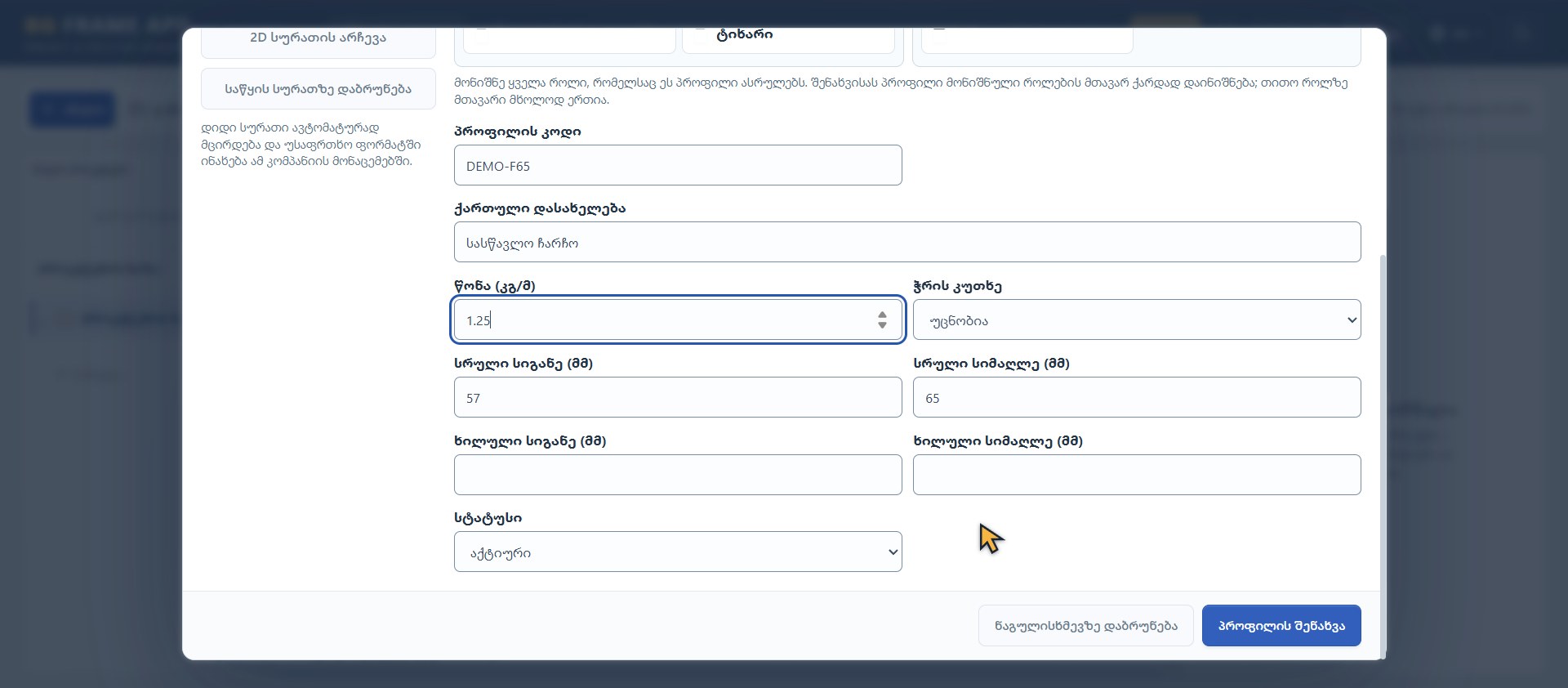
Open Systems and profile catalog in Settings. Enter your series name, code, profile role, dimensions and weight in kg/m. For aluminum, complete the price/kg, stock length and saw kerf. For PVC, check each profile's separate white/colored price per meter. Save the general settings and each profile card using their respective save buttons.
Actual Georgian interface · fictional training company and data
2. Accessories, mechanisms, glass and labor
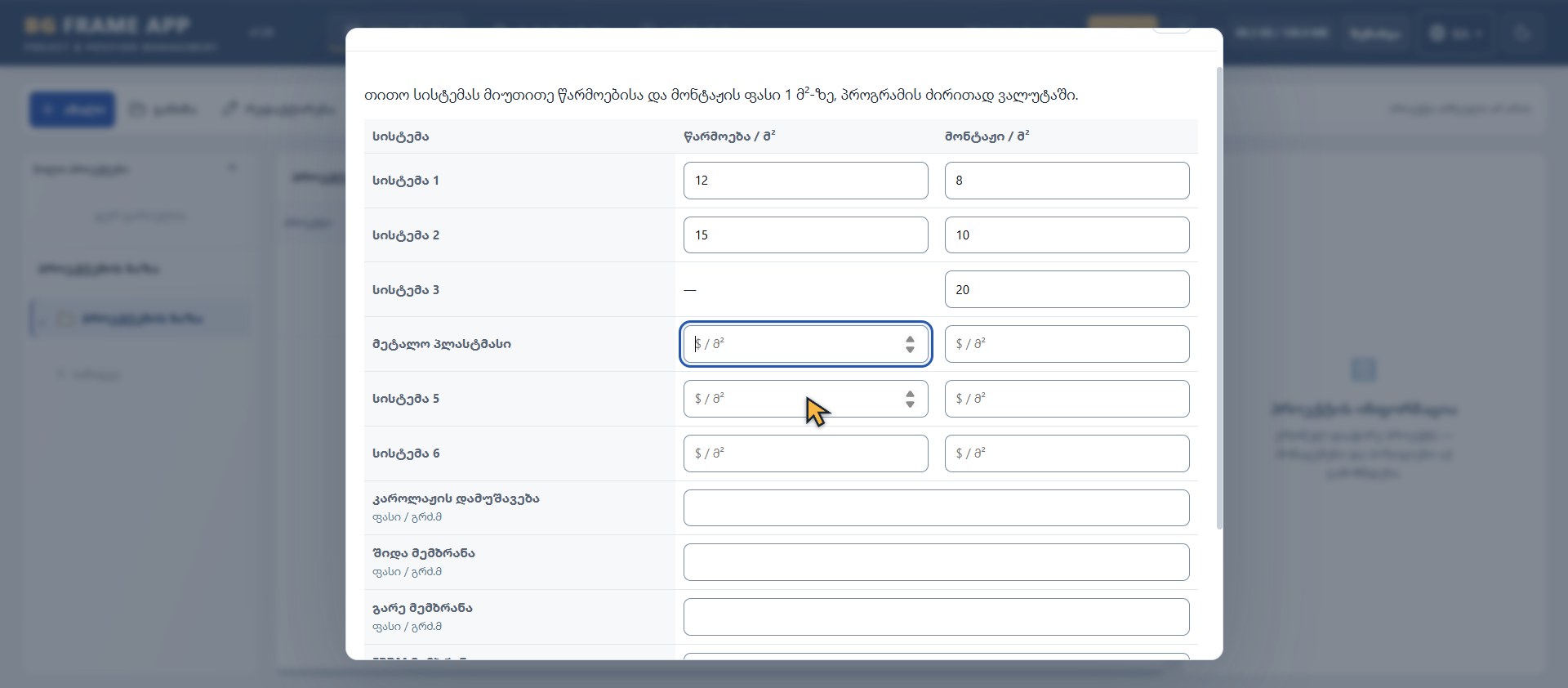
Enter each accessory's unit price, the mechanism variants you use, and glass or panel prices per square meter. Set manufacturing and installation labor rates for each system. Empty means missing; zero means free. Pricing one set does not price other mechanisms.
Actual Georgian interface · fictional training company and data
3. Create a project and its first position
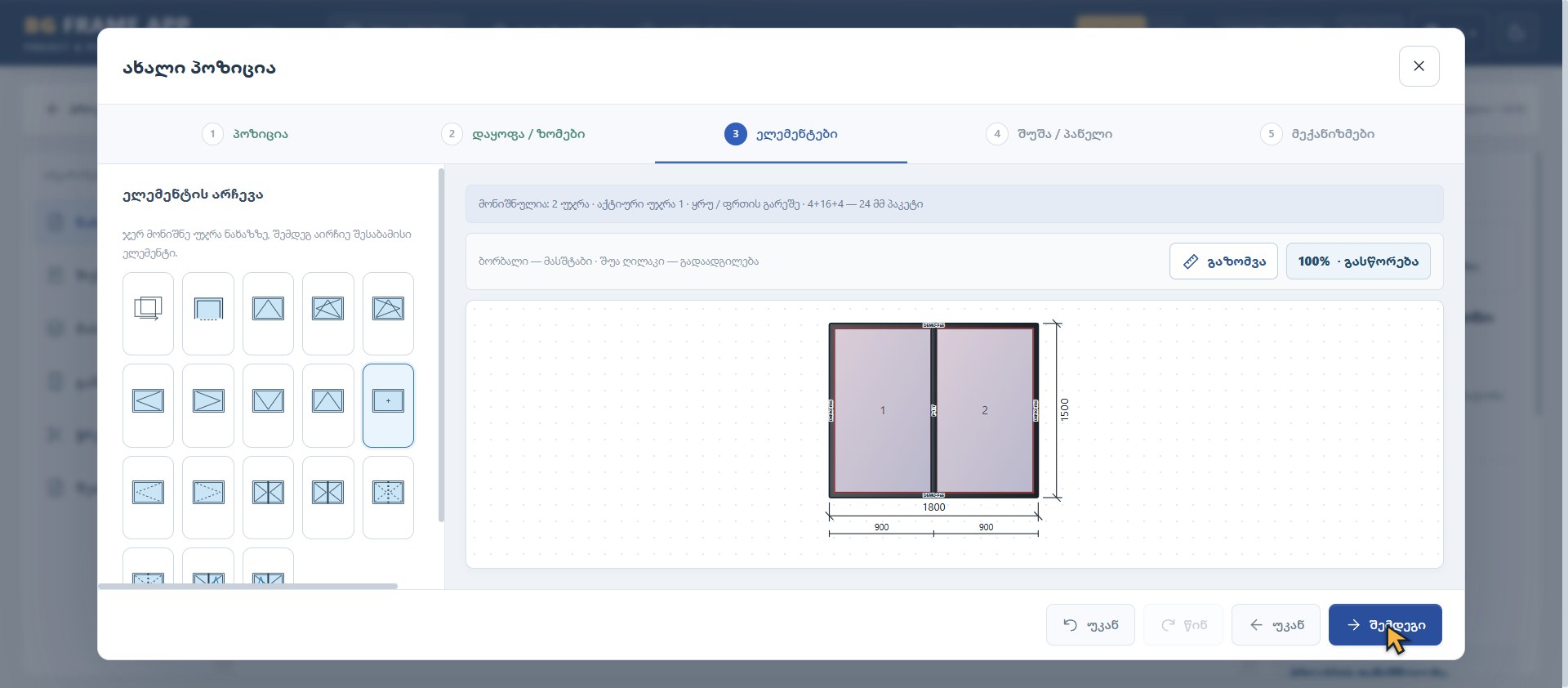
Enter the project name and number. For a new position, select the system, quantity and color, then enter columns, rows and dimensions in millimeters. Confirm dimensions with Enter and check the drawing. Select the cell, opening type, glass and mechanism variant.
Actual Georgian interface · fictional training company and data
4. Check a dimension on the drawing
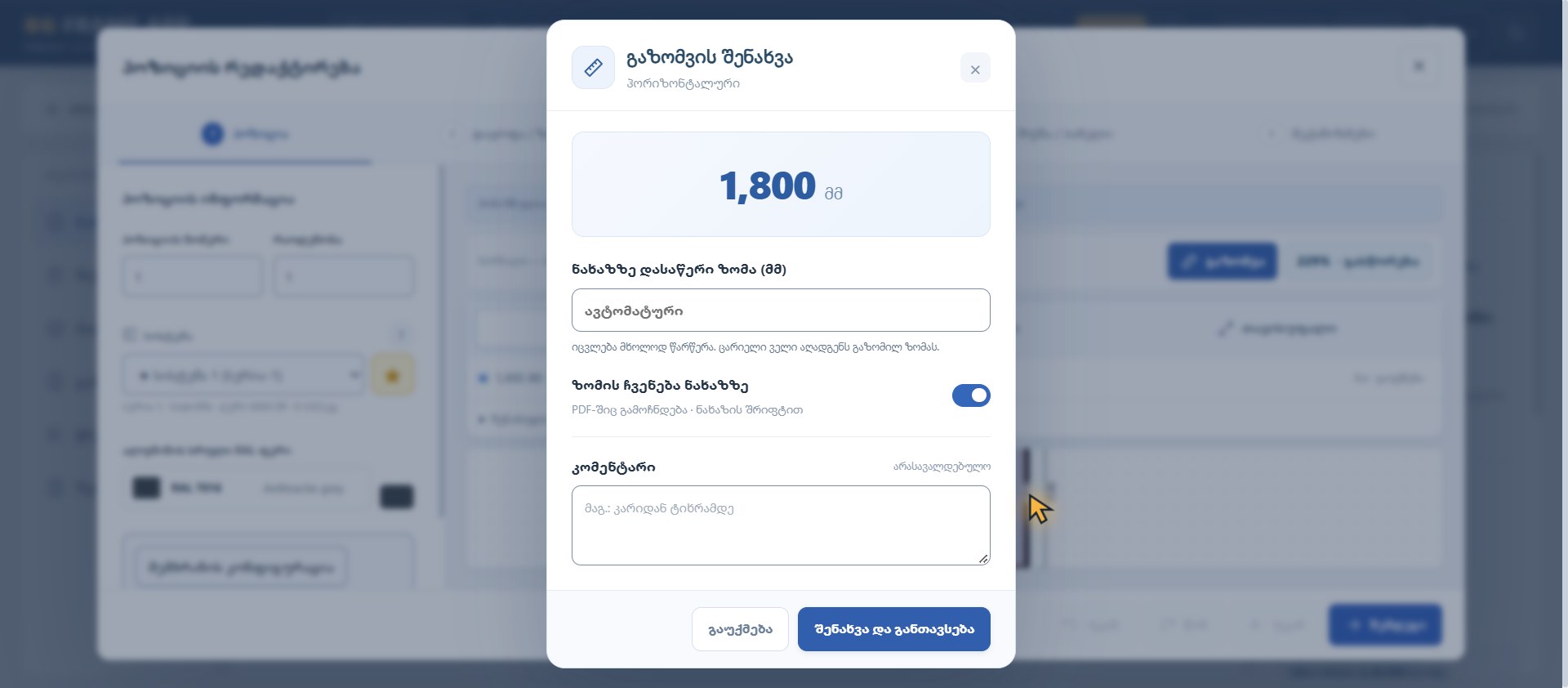
Open Measure in the editor. Choose horizontal, vertical or free measurement and click two points. Add a comment, save and place the dimension line. Editing the displayed measurement changes the label only, not the construction geometry. With display enabled, the measurement also appears in the drawing PDF.
Actual Georgian interface · fictional training company and data
5. Review the details of your system
For thermal aluminum, review frames, sashes, mullions and glazing beads. For curtain walls, review posts, transoms, the grid and openings; for sliding systems, moving/fixed panels, tracks and mechanisms; for PVC, profiles, color, openings and the matching hardware set. Each series requires its own catalog and specifications.
6. Materials, cutting plans, costs and PDF
Select the positions for the report and calculate materials and cuts. Review profiles, glass, accessories, mechanisms, stock bars, saw loss and remnants. Complete missing prices and manufacturing/installation rates before issuing a quotation. Apply catalog changes to an existing project through the relevant update action, then review the quotation PDF.
One-time 30-minute demo. An account and email verification are required.
Practical questions and working steps
What should I prepare before relying on the first result?
Prepare the company catalog before building a production estimate. Profile roles, units, weights and prices determine how useful the reports will be.
Steps and example
Review the selected system and profile codes, roles and prices.
Create a training position, save it and reopen it.
Check its drawing and material report before reviewing quotation totals.
Training example: Work through catalog setup → one position → saved drawing → material report → quotation with full access.
Scope of this example: The one-time 30-minute demo requires an account and verified email, locks catalog settings and hides prices. Trial projects do not transfer to a paid workspace.
The one-time 30-minute demo requires an account and email verification. Prices are hidden in the demo; trial projects do not transfer to a full account.