Position dimensions and window drawings
Enter width, height and section divisions. The 1800 × 1500 mm example shows two 900 mm sections with dimensions on the drawing, so you can check the overall size and each cell.
Watch this step in the video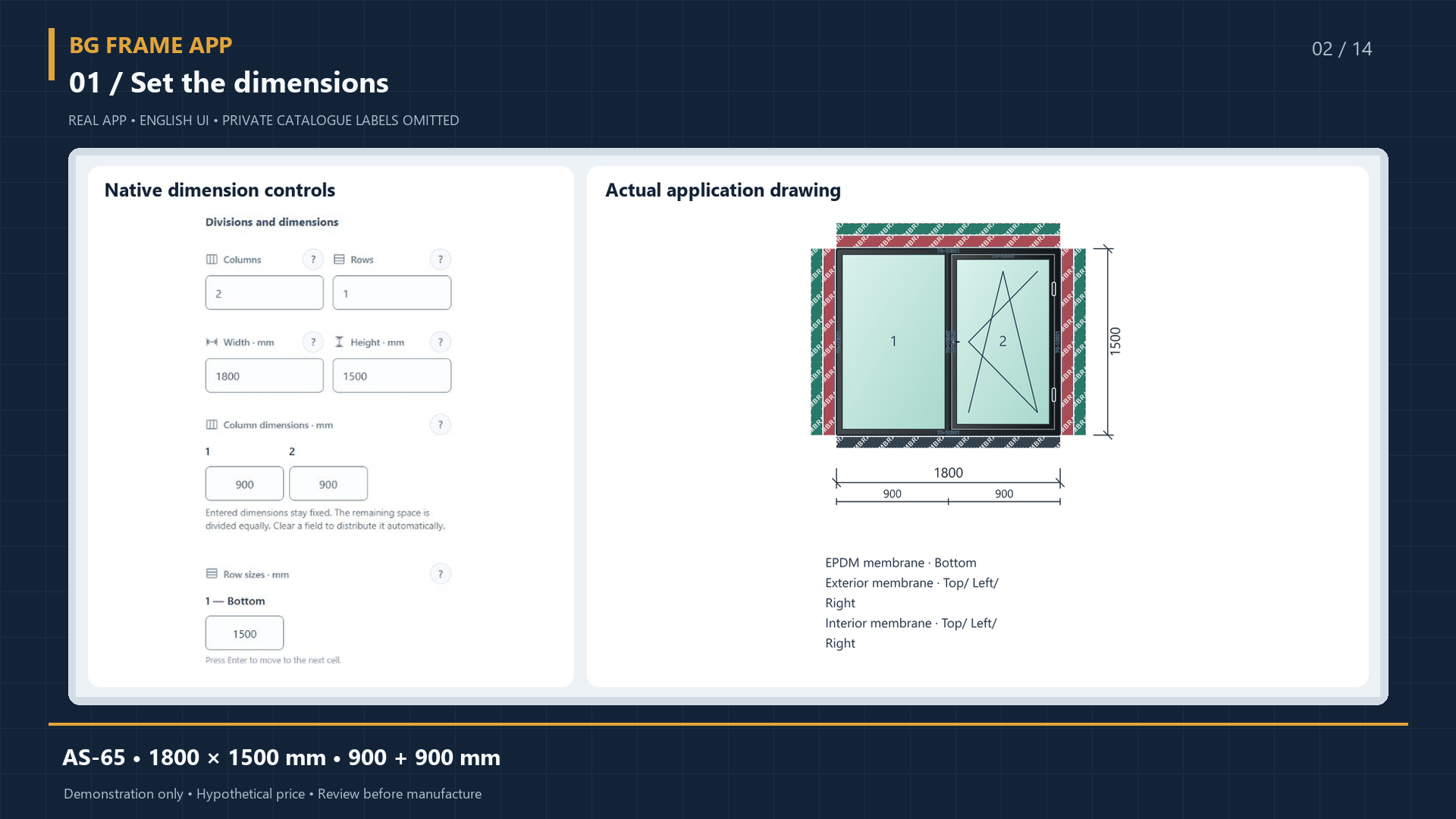
Windows & doors · Sliding · Facades
BG Frame App is a workspace for small and medium-sized window, door and facade businesses. Build positions, review materials and cuts, calculate costs and prepare quotations.
One-time 30-minute demo. An account and email verification are required.
Follow dimensions through drawings, material lists, cutting plans and quotations. These screens use a training project; verify your exact profile system and manufacturing data separately.
Enter width, height and section divisions. The 1800 × 1500 mm example shows two 900 mm sections with dimensions on the drawing, so you can check the overall size and each cell.
Watch this step in the videoGenerate profile, accessory and hardware lists from project positions. Review required length, purchasing quantity, weight and offcuts. Demo reports are available without prices.
Watch this step in the video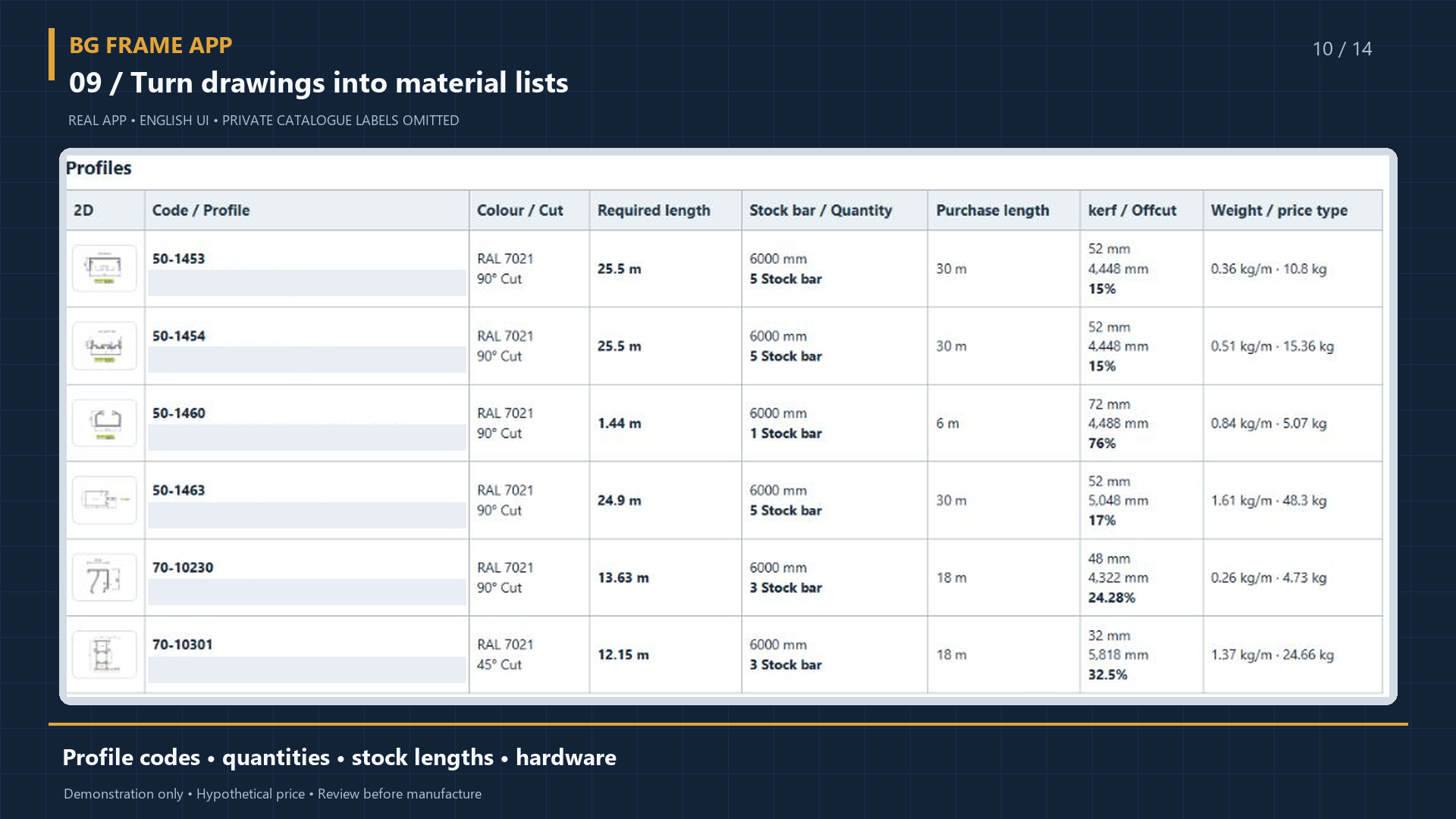
The cutting report groups parts by profile and stock bar. The illustrated 6000 mm bar contains 3000 + 1475 + 1475 mm pieces, 12 mm of saw kerf and a 38 mm remainder.
Watch this step in the video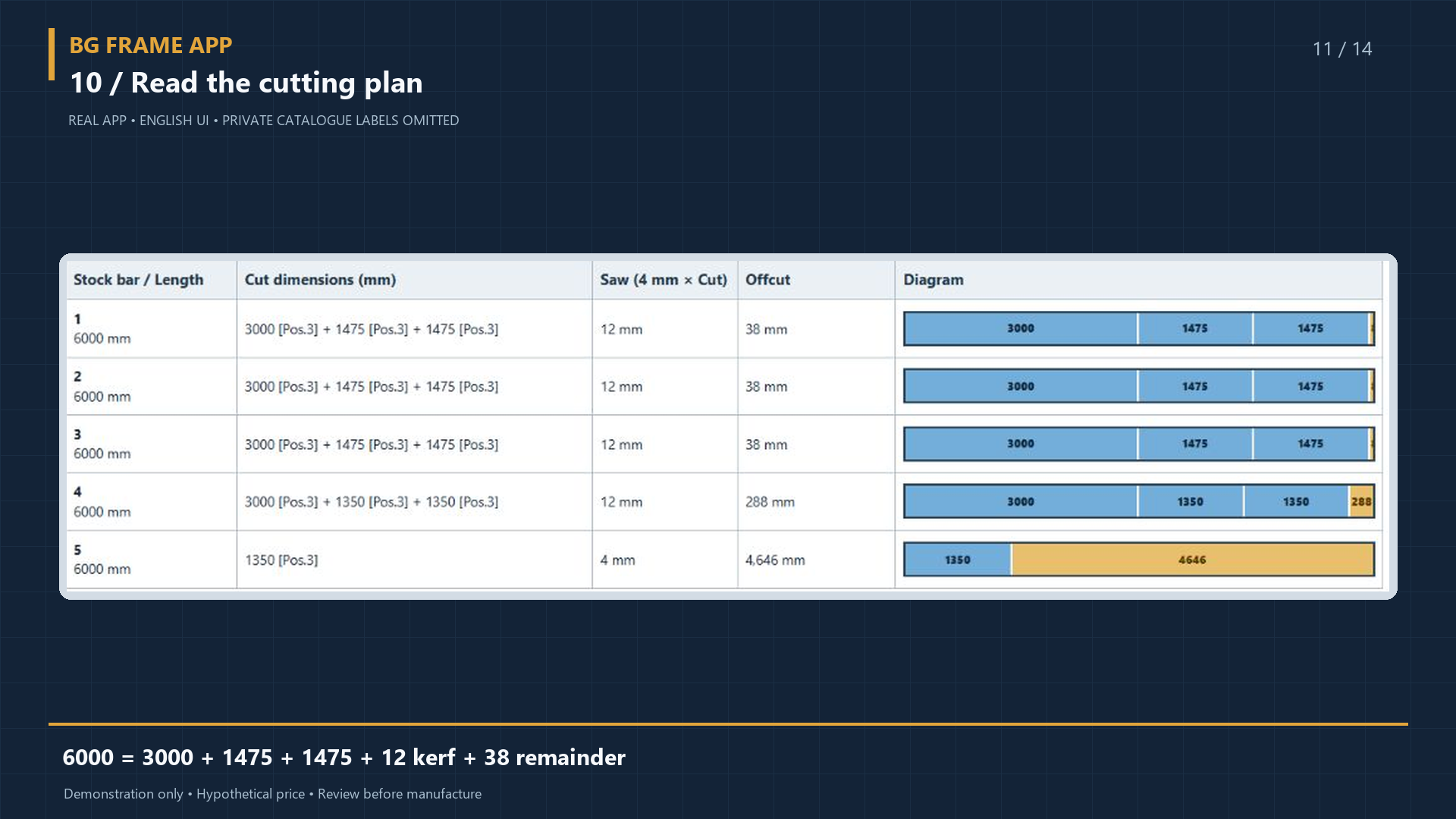
01 / Features
Start with construction dimensions and follow the same position through its drawing, reports and quotation.
Create a project, add a position and select the relevant system and series.
Set dimensions, sections, opening type, glass and colour. Review the drawing.
Open profile, glass and hardware lists, then review the cutting information.
With full access, check prices, prepare a quotation and generate the relevant PDF.
02 / Supported systems
Your actual profiles and catalog matter. Check the exact series and configuration during a demo.

Window and door constructions
Frames, sections, sashes and openings. Dimensions, glazing, profiles and hardware within the same position.

Moving and fixed sections
Plan a sliding construction with the relevant system. Check the sash configuration and materials required by that system.

Mullions, transoms and infill
Prepare a facade layout and review its dimensions and infills. Results depend on the selected series and configuration.

A dedicated window and door workflow
Check the profiles, parameters and available operations for your PVC system in the current catalog.
03 / Videos
Sample position: AS65 system, 1800 × 1500 mm, two 900 mm sections, a left-hand tilt-and-turn opening and 4 + 16 + 4 glass. The video shows a dimension change and a review of the reports.
This is a demo example, not a production-approved project.
Watch the workflow →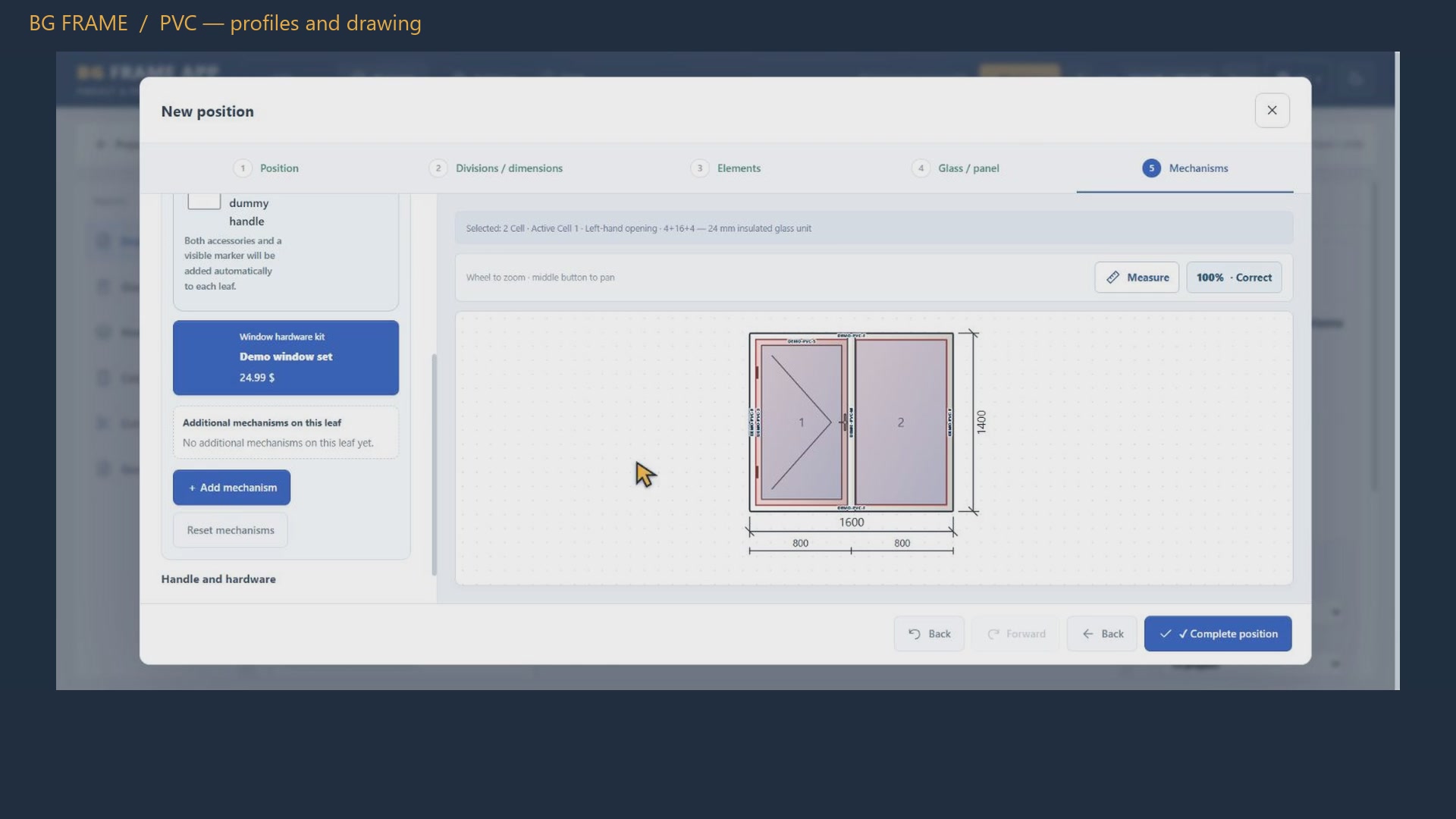 ▶ BG Frame App: complete practical walkthrough 9:49
One sample 6000 mm stock bar, shown as four parts, saw kerf and the remaining length.
1420 + 1420 + 840 + 840 + 16 + 1464 = 6000 mm. This is one example; other systems and parameters produce different results.
For a rectangular construction, specify the top, bottom, left and right edges. Select an interior, exterior, combined or EPDM membrane. Colours distinguish types on the drawing; length is calculated from the selected edges and quantity.
The illustration is schematic: interior is green, exterior is red and EPDM is black. Line thickness does not represent the membrane's physical width. Curved and sloping edges need a separate technical check.
Projects and quotations in a shared workflow.
Position dimensions, openings and materials in detail.
A clear drawing and a prepared quotation for the customer.
BG FRAME APP
Tell us your country, profile brand and series, the constructions you need to prepare, and how many people will use the software.
The one-time 30-minute demo requires an account and email verification. Prices are hidden in the demo; trial projects do not transfer to a full account.
Start the demo